Use sentiment indicators, searchable transcriptions, demographic filters, and automated theme detection to analyze your video survey responses.
View Responses
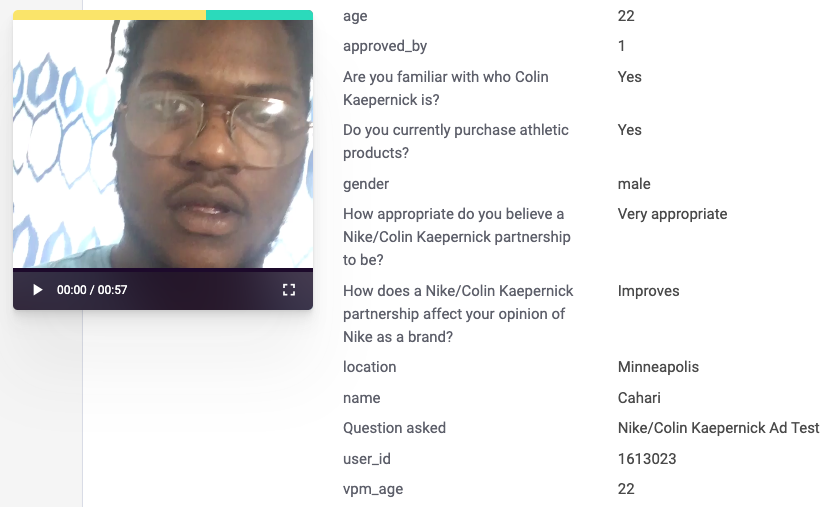
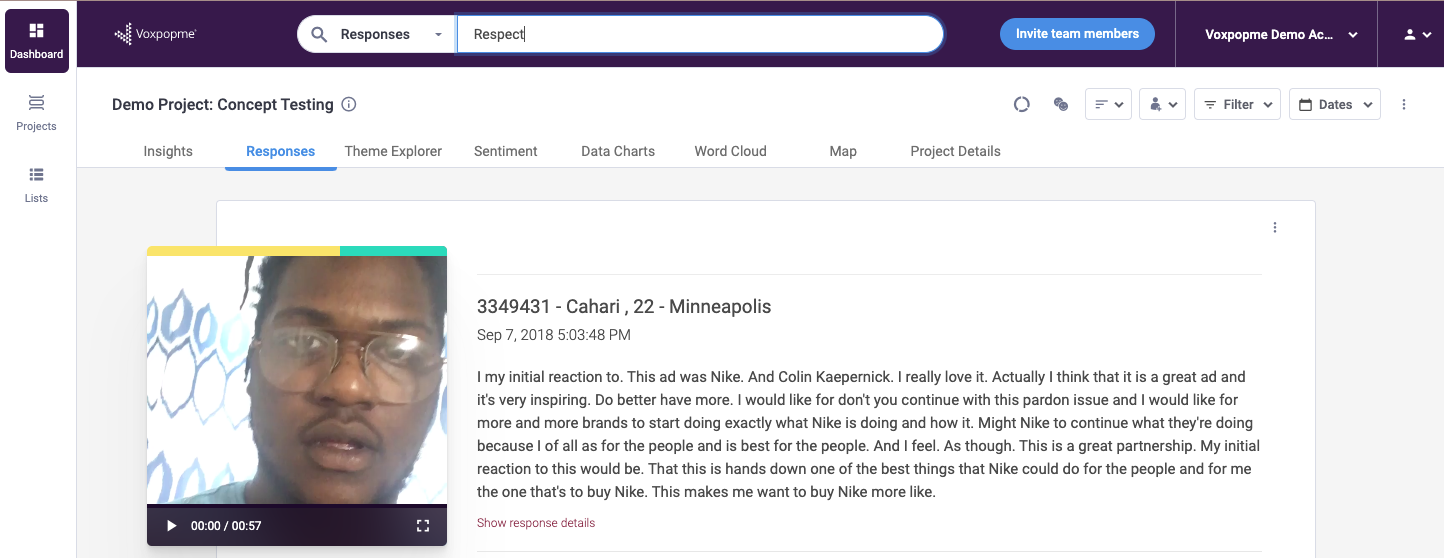
The responses tab displays all collected videos with color-coded sentiment indicators above each one. Green represents positive feedback, red indicates negative sentiment, and yellow signifies neutral responses. Each video includes its transcription and accompanying response metadata.
Search Transcriptions
Use the search functionality to query video transcriptions by keywords or phrases. This effectively converts your video content into a searchable knowledge base of customer insights and feedback, letting you find specific topics across all responses instantly.
Dig Deeper with Filters
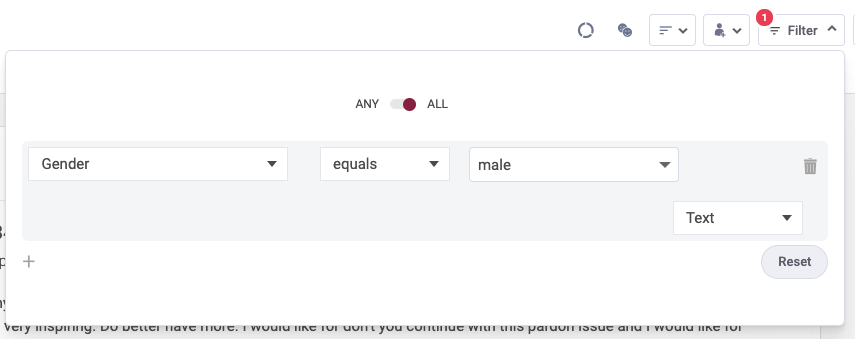
Apply demographic and contextual data as filters through the top-right menu to narrow down your video results. Multiple filters can be applied simultaneously, with results updating instantly to reflect the selected criteria.
Identify Trends with Theme Explorer
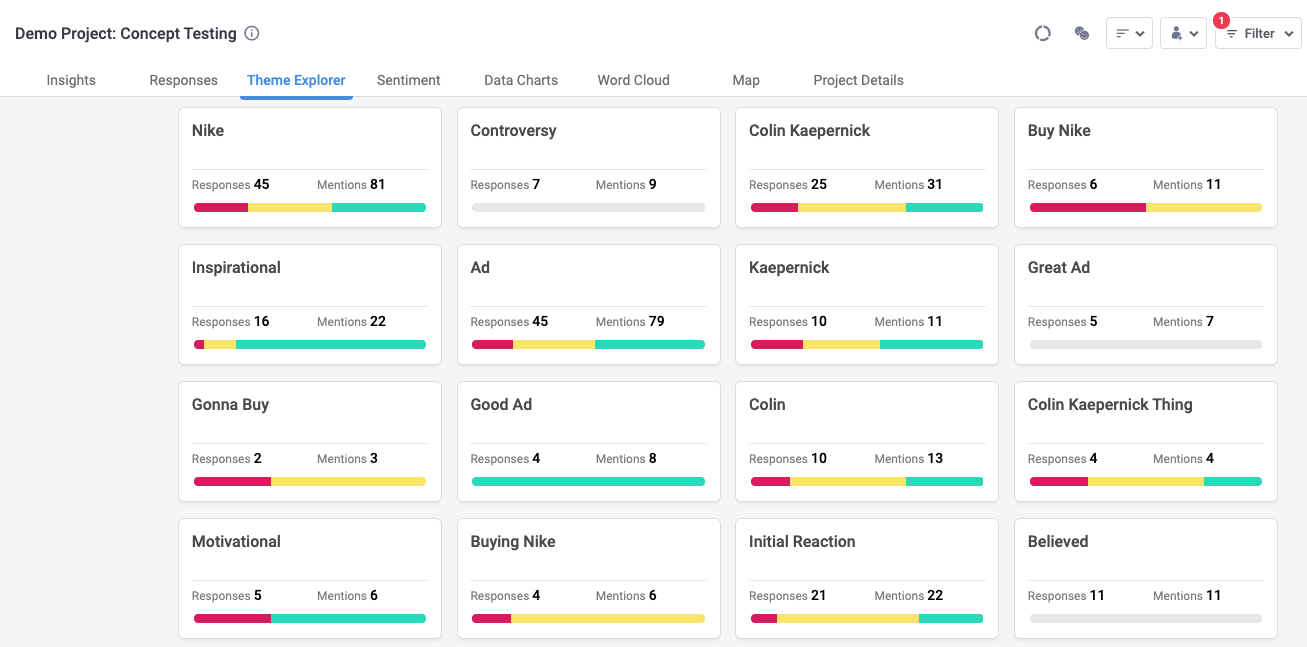
The platform’s AI engine automatically extracts prominent keywords and themes from collected responses. Access the Theme Explorer tab to review identified themes, use the “Top Picks” feature to prioritize meaningful patterns, and click individual themes to view the corresponding video clips.