Showreels let you compile the most compelling moments from your video research into a polished, shareable asset. This guide walks you through generating a showreel, customizing its appearance, and distributing it to your audience.
Generate Your Showreel
From your project dashboard, select the Generate Showreel option to begin building a video compilation from your consumer responses. You will be presented with two style options:
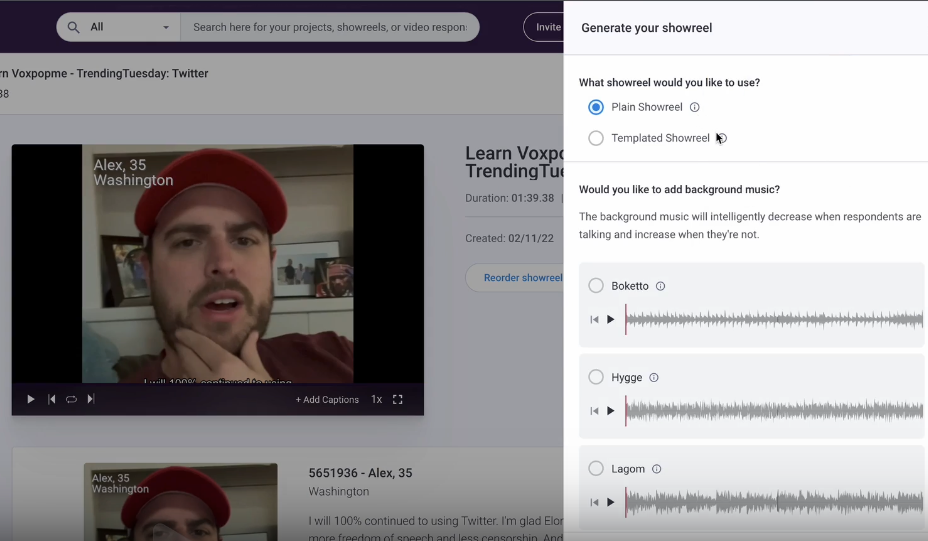
- Plain — A clean, minimal presentation with no additional design elements. Ideal for internal reviews or quick shares.
- Templated — Includes branding, titles, and visual identity features. Best suited for client-facing or stakeholder presentations.
Choose the style that best matches your intended audience and messaging goals.
Sharing Your Showreel
Once your showreel is ready, you have two primary distribution methods:
Share a Link
The platform automatically generates a shareable link (public or private) that you can copy and send to colleagues, clients, or other stakeholders via email, messaging apps, or any other channel.
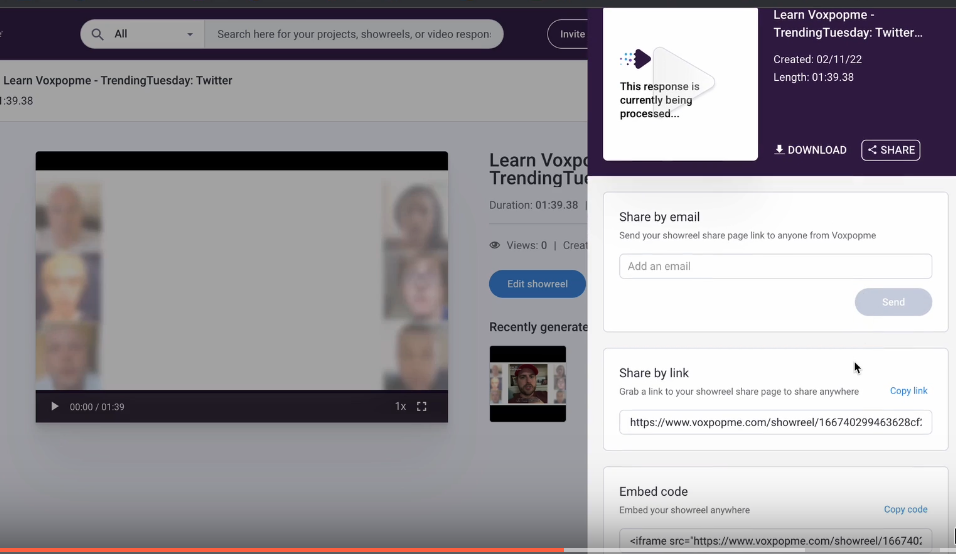
Embed in a Presentation
Use the provided embed code to integrate your showreel directly into PowerPoint presentations, websites, or internal tools such as Confluence, SharePoint, or your CRM.
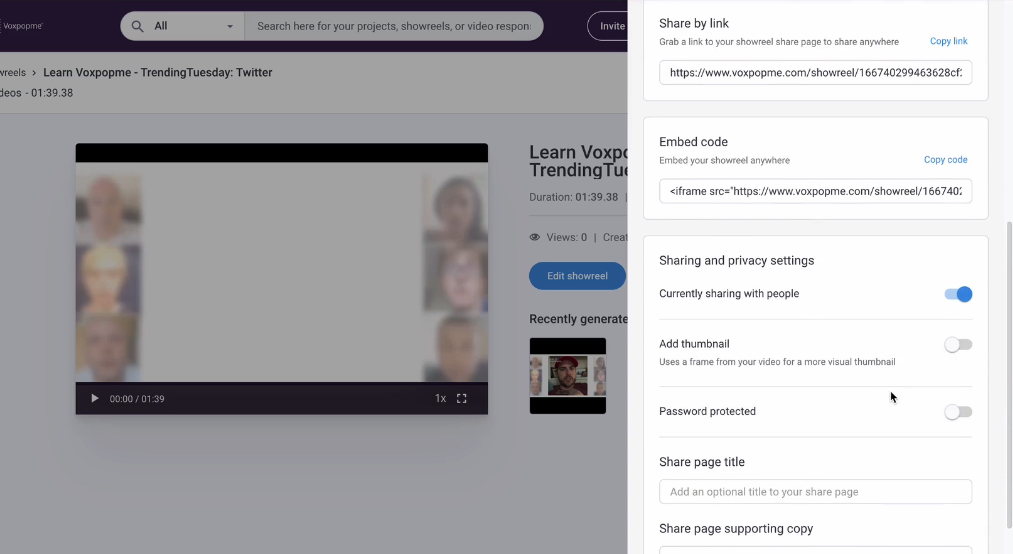
Manage Sharing and Privacy Settings
Before distributing your showreel, configure the following options to control access and presentation:
- Scheduling — Set visibility timing so the showreel becomes available at a specific date and time.
- Custom Thumbnail — Select an auto-generated thumbnail or upload your own for a more tailored appearance.
- Password Protection — Add a password to restrict access to sensitive content.
- Share Page Customization — Add a title, description, and context to the landing page viewers see when they open the link.
Save and Finalize
Click Save to apply all your settings and finalize the showreel. Your video compilation is now ready for distribution.